Account, settings & billing
Start your free trial and choose your packs
Before you start
Have your work email address and a payment card to hand. Your card is taken at signup but not charged until the trial ends.
Prices are on the pricing page. They include VAT at 20%.
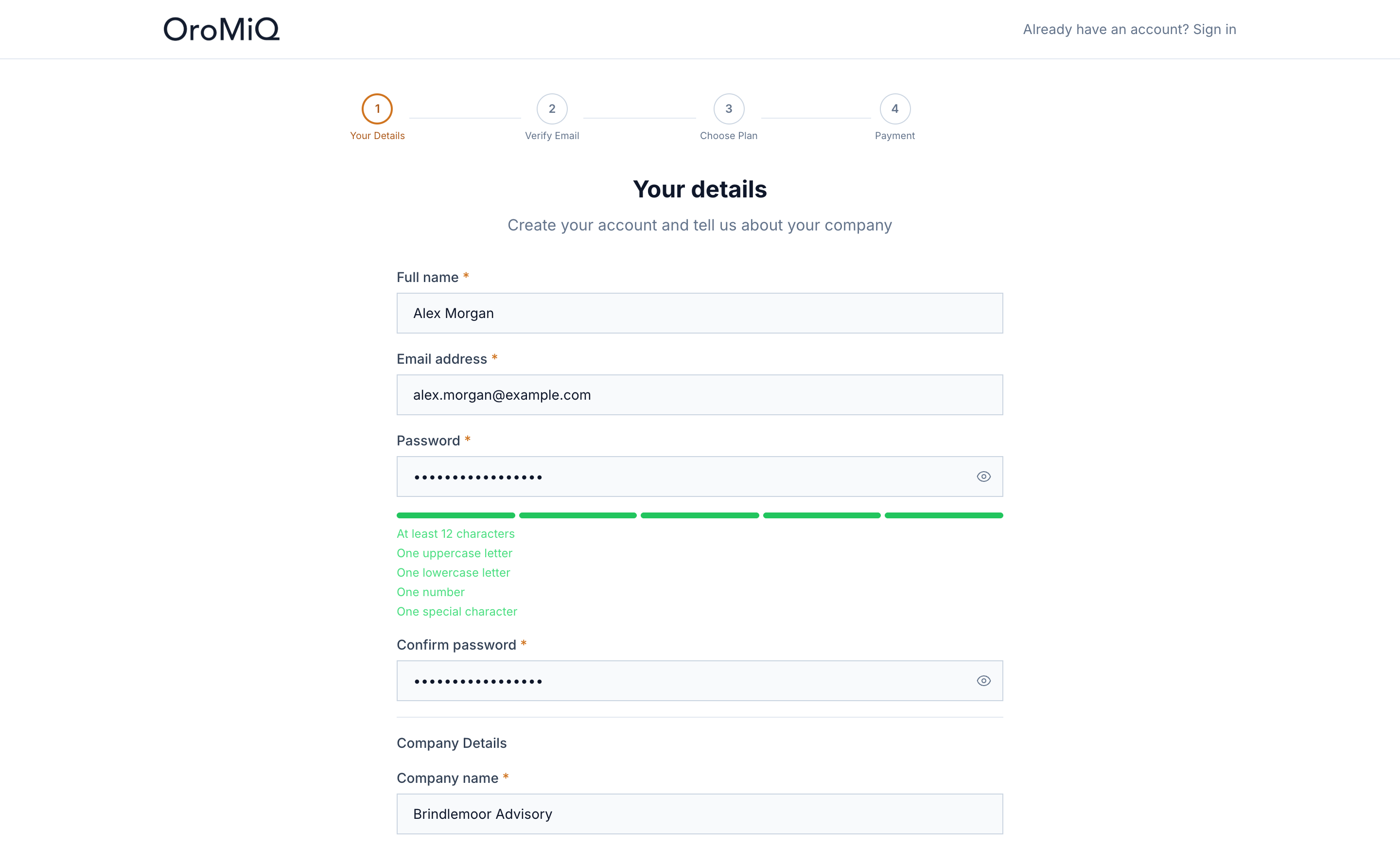
Enter your details
Go to /signup. On Your details, fill in your Full name, Email address, Password and Confirm password, then your Company name. Phone and Website are optional.
Tick the box to agree to the Terms of Service and Privacy Policy, then click Create Account.
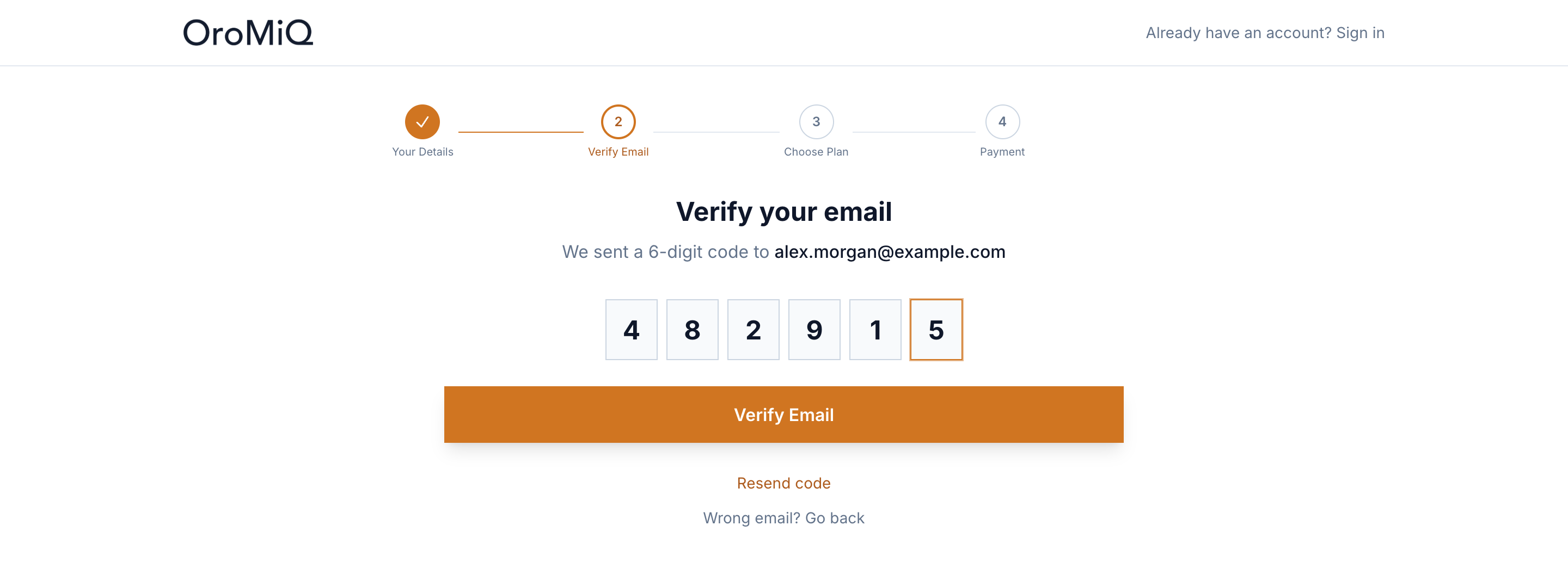
Verify your email
We email you a 6-digit code. Type or paste it into the boxes and click Verify Email. If it has not arrived, click Resend code. Spotted a typo in your address? Click Wrong email? Go back.
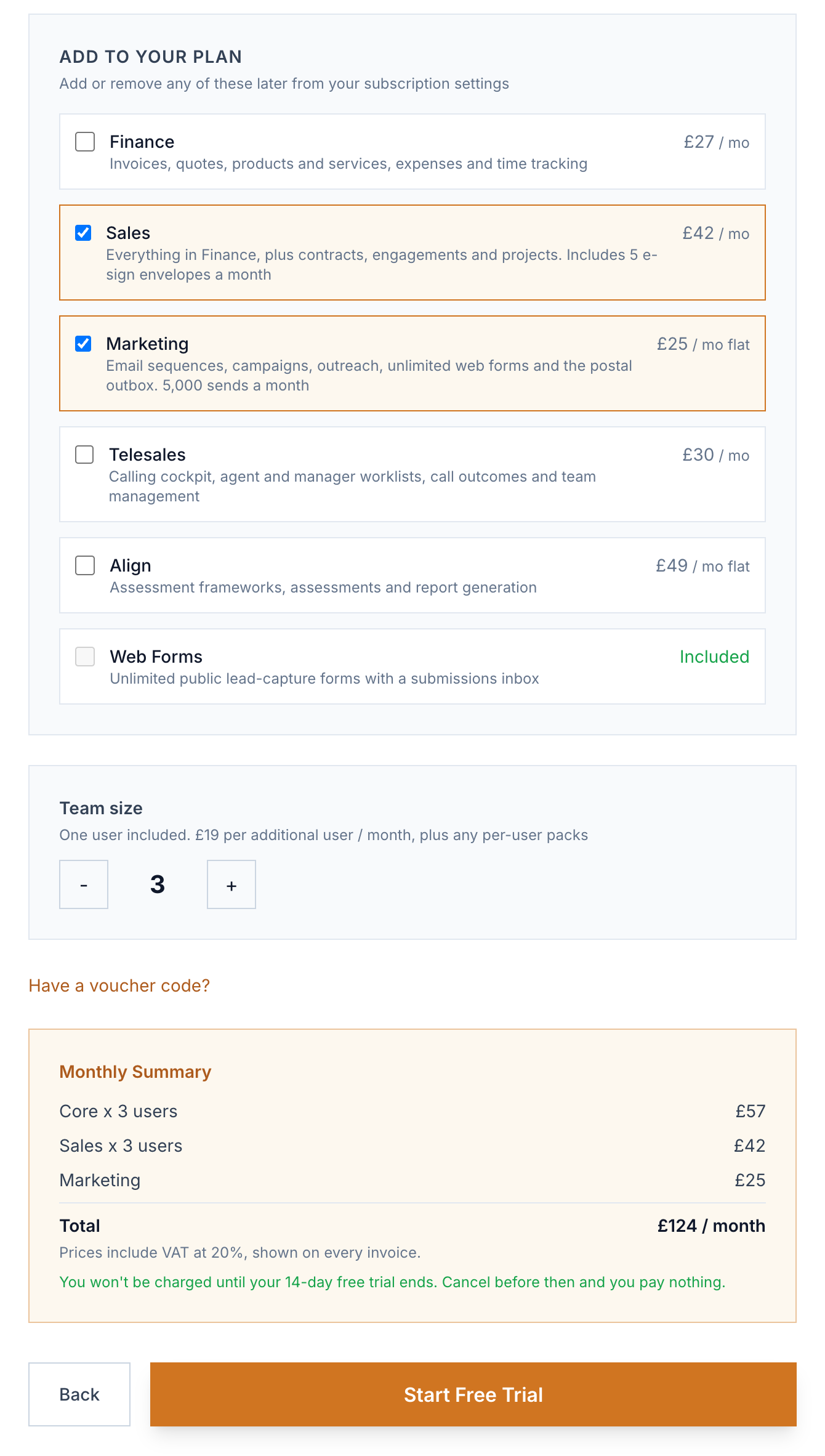
Build your plan
Core is included for everyone and priced per user. It covers companies, contacts, your pipeline, your own synced mailbox, tasks, calendar, reporting and free data layers. Under Add to your plan, tick any extras:
- Finance (per user): invoices, quotes, products and services, expenses and time tracking.
- Sales (per user): everything in Finance, plus contracts, engagements and projects, with 5 e-signature envelopes a month.
- Marketing (flat per company): email sequences, campaigns, outreach, unlimited web forms and the postal outbox, with 5,000 sends a month.
- Telesales (per user): the calling cockpit, agent and manager worklists, call outcomes and team management.
- Align (flat): assessment frameworks, assessments and report generation.
- Web Forms (flat): unlimited enquiry forms with a submissions inbox.
Use Team size to set how many users you need. The Monthly Summary shows your total, including VAT. Click Start Free Trial.
Note
Got a voucher?
Add your card with Stripe
You are taken to Stripe’s secure checkout to add your card. You are not charged for 14 days. Your first payment is taken when the trial ends, and if you cancel before then you pay nothing.
Once payment is set up, you see Account activated! and OroMiQ opens. The setup wizard then helps you shape your pipeline.
Add or remove packs later
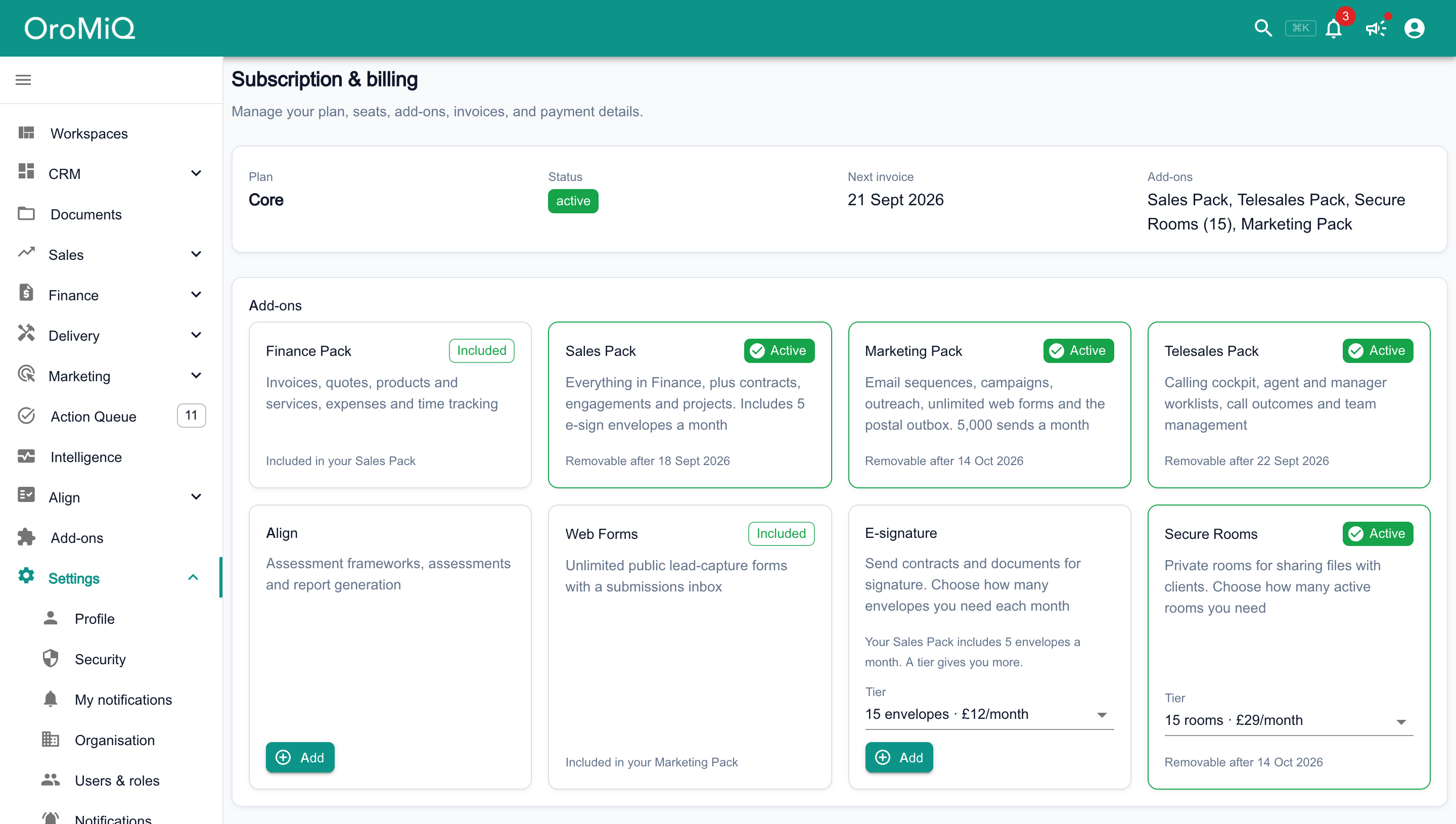
In the sidebar, open Settings then Subscription & billing. The Add-ons card lists every pack and add-on, including E-signature and Secure Rooms, which are not offered at signup. Each of those two is one card with a Tier list, and you hold one tier of each.
- Click Add to switch one on straight away. You pay a pro-rated amount for the rest of the billing period.
- An add-on that one of your packs already includes shows Included instead of an Add button, such as Web Forms with Included in your Marketing Pack.
- To move up, click Upgrade on the Sales Pack card while you have the Finance Pack, or pick a bigger tier and click Upgrade. The new one replaces the old straight away, and your next invoice charges the difference.
- A pack or add-on you add or change to after signup has a 28-day minimum. Until it is over, its card shows Removable after and a date, and you cannot move it to a smaller tier or switch from the Sales Pack to the Finance Pack.
- Click Remove and confirm. It stops working straight away and the unused part of the billing period is credited to your next invoice.
Note
Change your seats
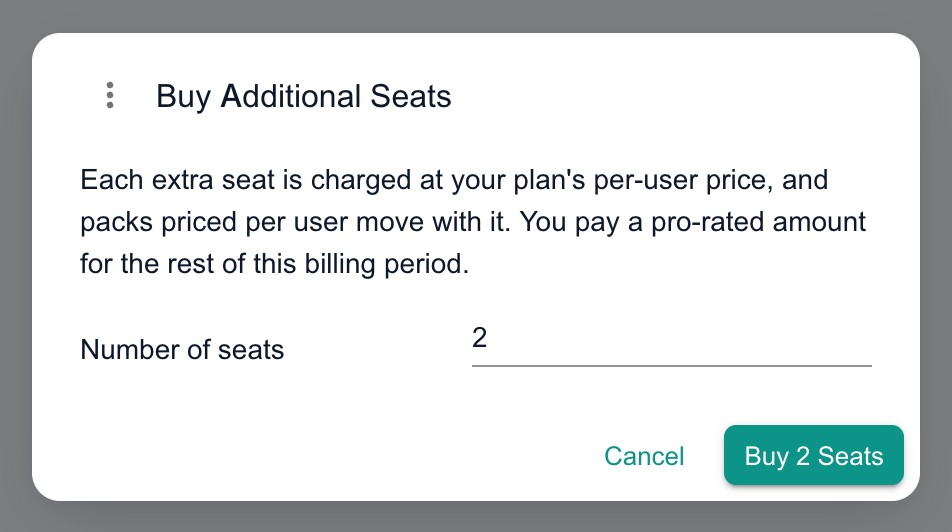
On the Seat Usage card, click Buy More Seats, enter the Number of seats and confirm. The cost is pro-rated for the current billing period, and any per-user packs move up with your seats.
To drop seats you no longer need, click Reduce Seats. They are removed straight away and your next invoice is lower. You cannot reduce below the number of active users, so deactivate users first if you need to.
Cancel if OroMiQ is not for you
At the bottom of Subscription & billing, click Cancel Subscription and confirm. Your subscription stays active until the date shown, then access ends. Cancel during your free trial and you are not charged.
Changed your mind? Click Reactivate on the warning at the top of the page before that date.

Data layers are free
What next
Cannot find what you need? Browse the Help Centre or submit a support ticket.